
Staffing heat map
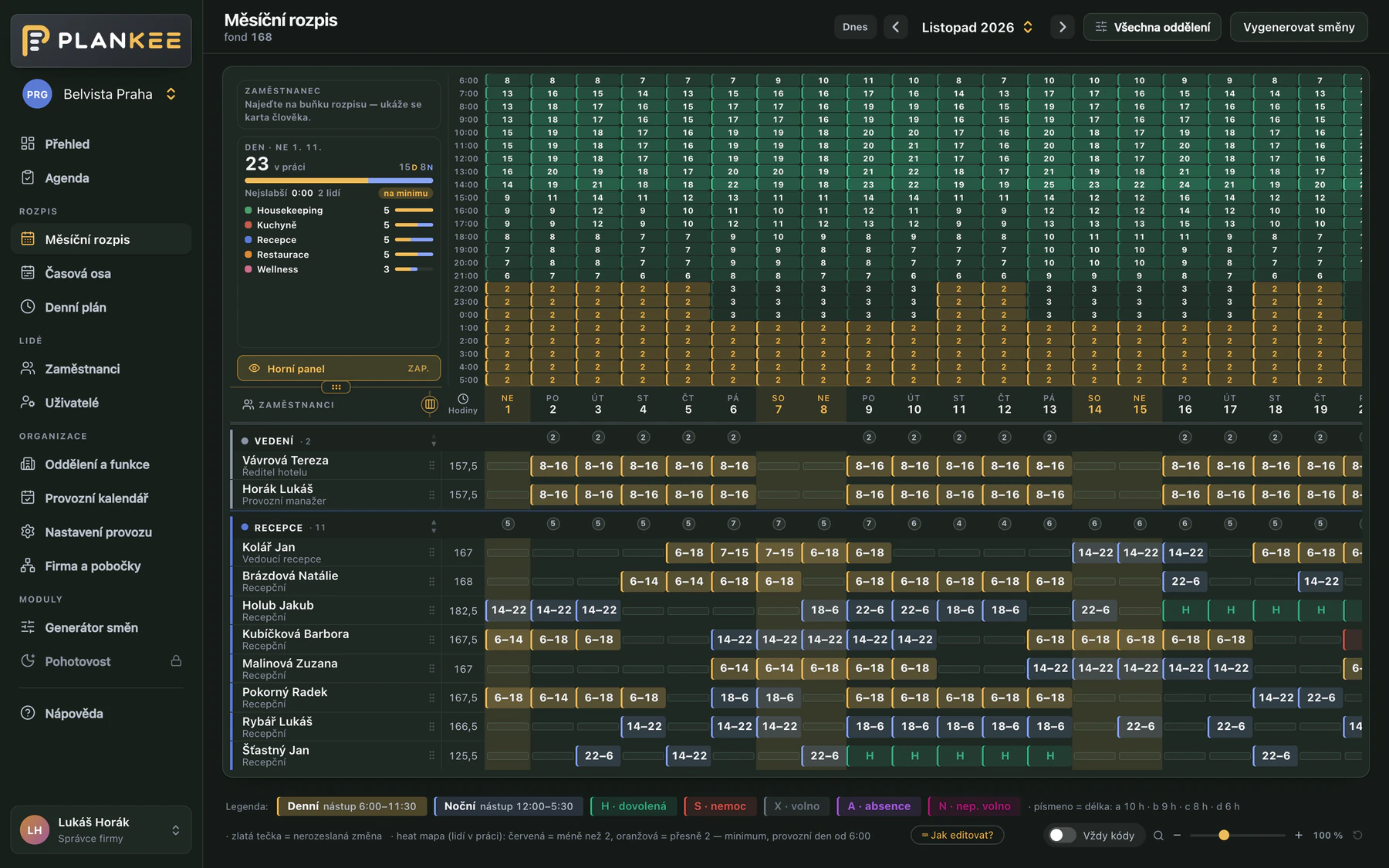
How many people are at work in every half hour of the month. Green covered, orange at minimum, red short-staffed.

Gaps in your schedule? Plankee fills them. It shows where you're short of people. Plans the whole month in a minute. Everyone has the schedule on their phone.
How many people are at work in every half hour of the month. Green covered, orange at minimum, red short-staffed.
Type a shift code and staffing recalculates instantly. Nights change colour as soon as they're covered.
Drag to fill, copy and paste, even from Excel. Undo a typo with Ctrl+Z.
Stretch, shorten or drag a shift to another person, or draw one with the mouse.
The generator fills the whole month based on your operational needs and people's profiles. In about a minute.
The Overview shows whether you're covered, who's at work, who's missing and what's waiting for approval.
Offer an open shift to people from your other branches too, with a bonus if you like. Whoever can, taps I'm interested on their phone, and the gap is gone.
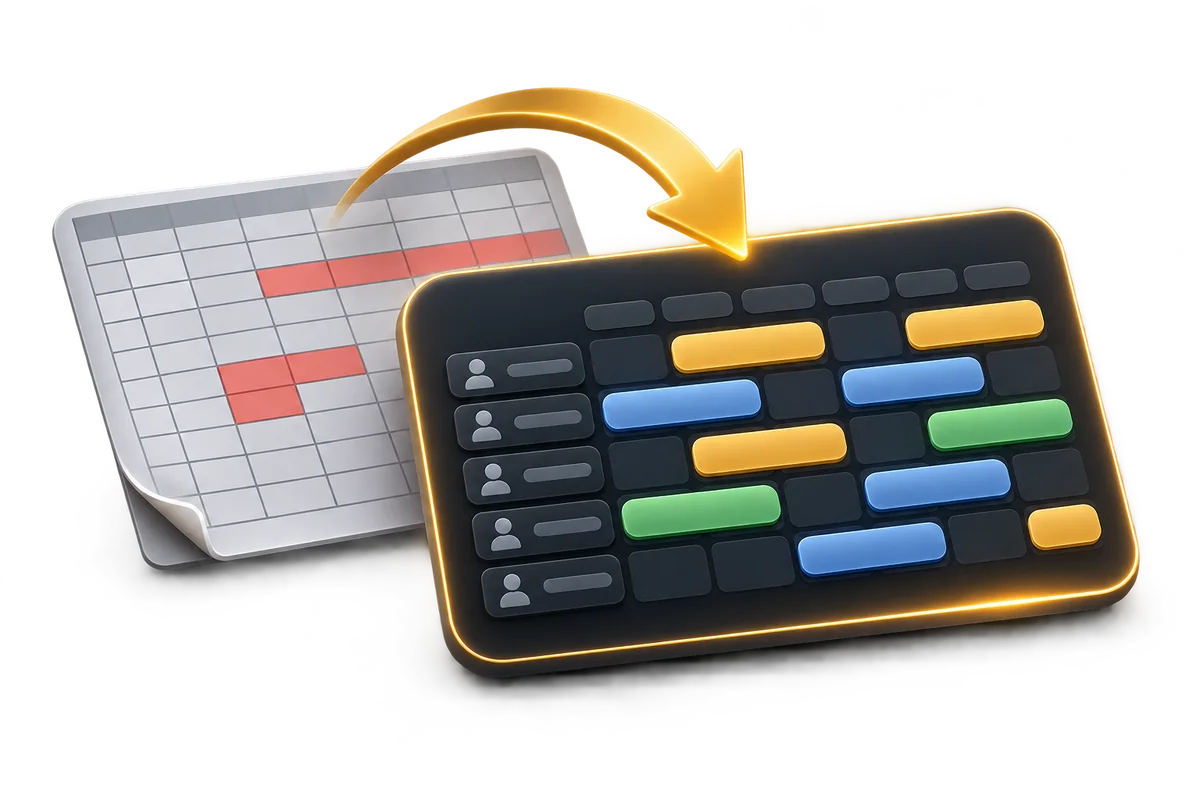
A spreadsheet schedule works until someone gets sick. Plankee watches what Excel can't see.
No setup fees. The first 30 days are free with all features.
For smaller teams that want their shifts under control.
For most businesses that want to save time and plan smarter.
For companies with more demanding requirements and their own processes.
The subscription is a flat fee based on the capacity you choose, not on your current number of employees. Archived employees don't count towards capacity. You can try every plan free for 30 days with all features. No payment card and no commitment.
Today's shift right at the start. Then pick the dates, add a note and send. The request waits for approval and you can see how it turned out.
Invitation from your managerA personal link arrives by e-mail or message.
Your own passwordYour account links to your employee profile automatically.
Home screen iconiPhone and Android, nothing to download from a store.
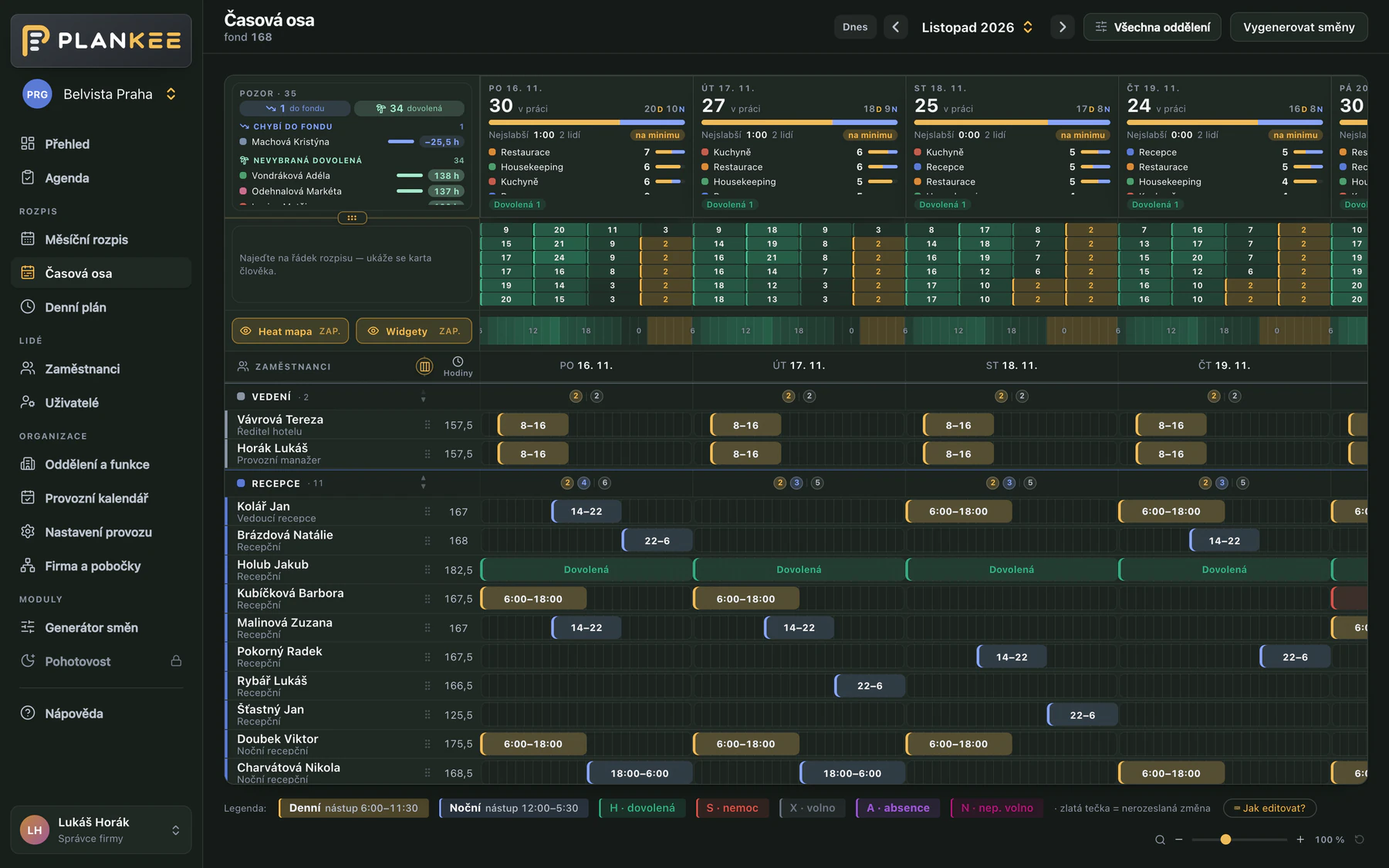
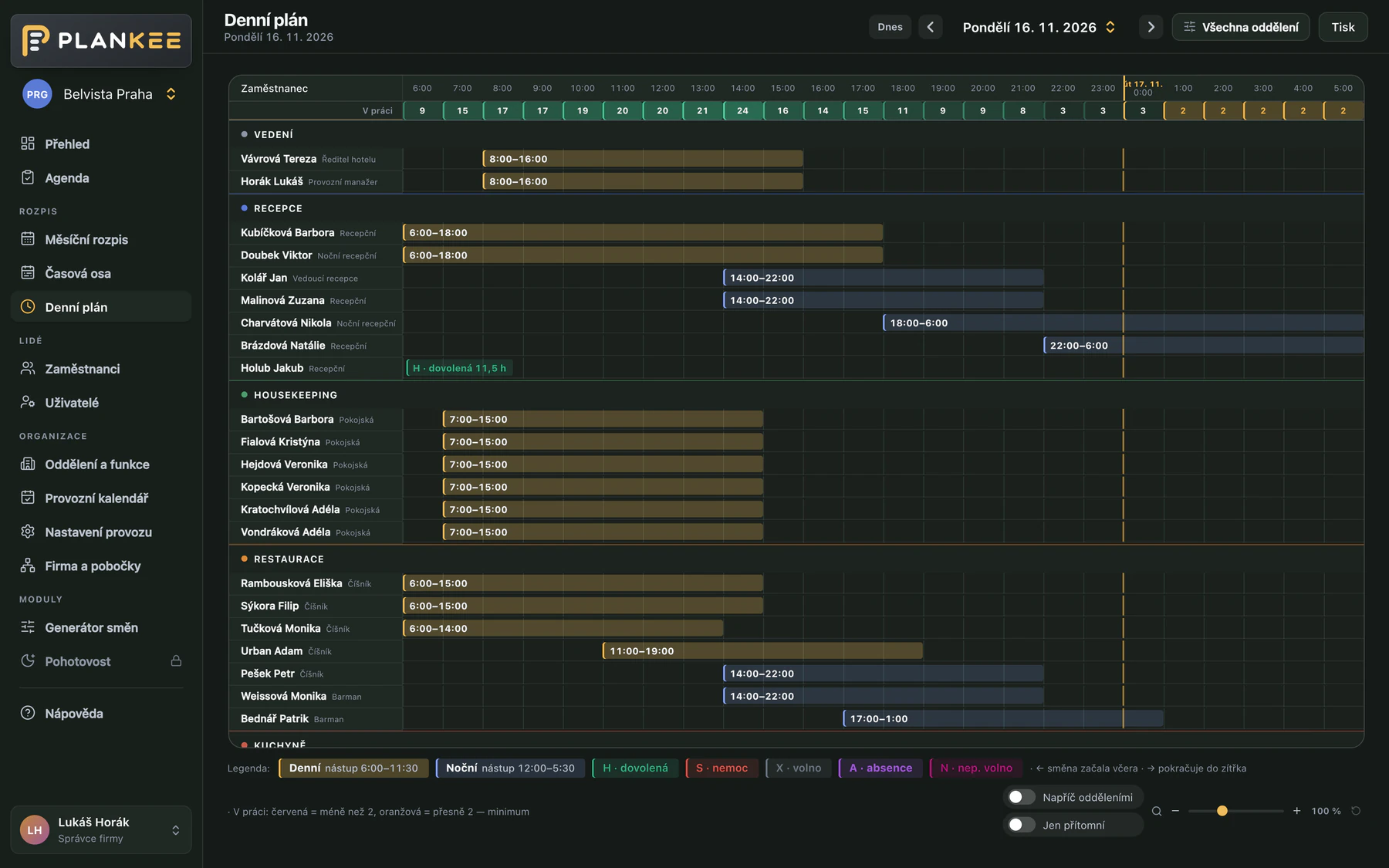
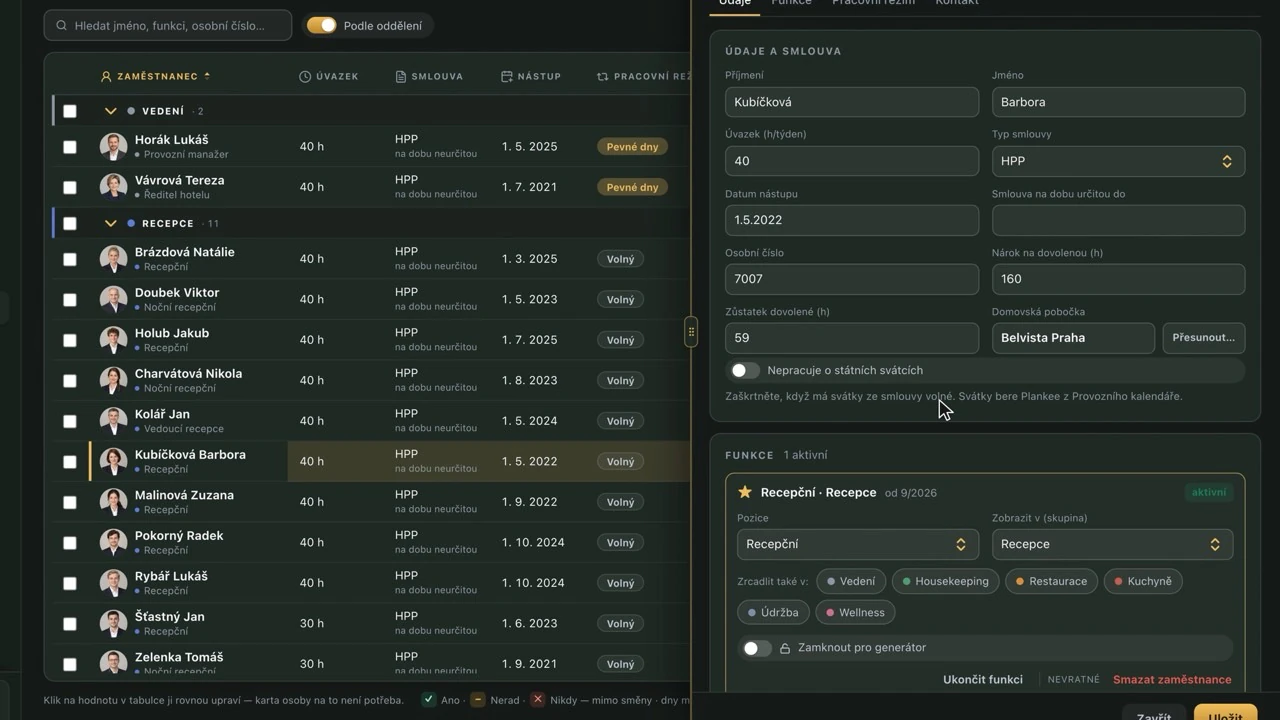
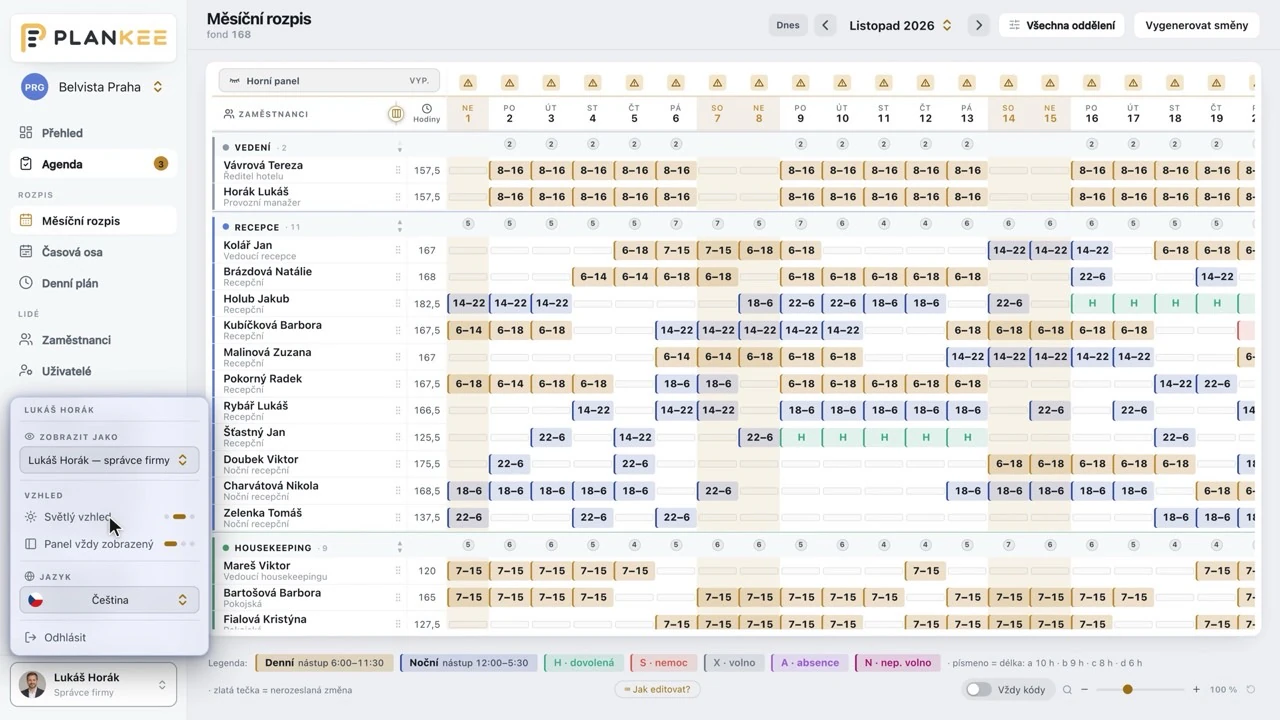
Edit the schedule calmly as a draft. Employees see changes only once published, and get a notification.
Plankee watches rest between shifts, night work, overtime, the working-hours quota and the DPČ limit.
Several branches under one company. When one is short of people, a colleague from another branch helps out.
Post a gap in the schedule as an open shift, with a bonus if you like. Volunteers sign up from their phone.
Five levels, from employee to company administrator. Everyone sees and edits only what you entrust to them.
Import your people from Excel and paste your current schedule into Plankee with Ctrl+C and Ctrl+V.
Every business works a little differently. If something's missing, we can build new features, integrations or entire modules.
We'll design a specific feature and build it right into Plankee.
For example attendance or payroll.
Rules, workflows and views that match how you actually work.
Start from 45 CZK and Plankee Pro from 66 CZK per employee per month. You only pay for the people you schedule. For larger companies with their own requirements, we'll prepare a custom price. The first 30 days are free with all features.
Send an enquiry, and we'll set up your company and send you an invitation. Import your staff list from Excel or CSV, and copy your schedule into Plankee straight from Excel with Ctrl+C and Ctrl+V.
No. Plankee on the phone runs in the browser and is added to the home screen as an icon, on iPhone and Android alike. Employees get an invitation, set a password and see their shifts straight away.
The shift generator watches rest between shifts (11 hours by default), night work, the overtime cap, the working-hours quota and the DPČ limit. Public holidays are counted into the quota automatically.
Yes. Plankee works just as well for a restaurant with regular opening hours as for a hotel, casino or hospital running 24 hours a day, 365 days a year. A night shift across midnight isn't split, and the heat map shows staffing at night too.
Yes. Each branch has its own departments and needs. People can cover for each other across branches, open shifts can be posted with a bonus, and you can move a person to another branch from a specific date.
No. Every edit starts as a draft that only planners can see. Employees see changes only once they're published, and get a notification about them.
Each company's data are kept separate in the database. Not even the Plankee operator can enter your company without stating a reason; access has a time limit and you know about it.
For 30 days you get Plankee in full, for free. Then you choose a plan. If you don't decide right away, your data stay available read-only for another 30 days. Nothing gets deleted automatically.
With all features and no payment card. Just tell us a little about yourself.
Send an enquiryIt takes a minute. We'll get back to you as soon as possible.
You get an invitationWe set up your company and send you a login link for the administrator.
Invite your teamImport people from Excel and send each of them an invitation to their phone.